




5G Hz High Speed WiFi
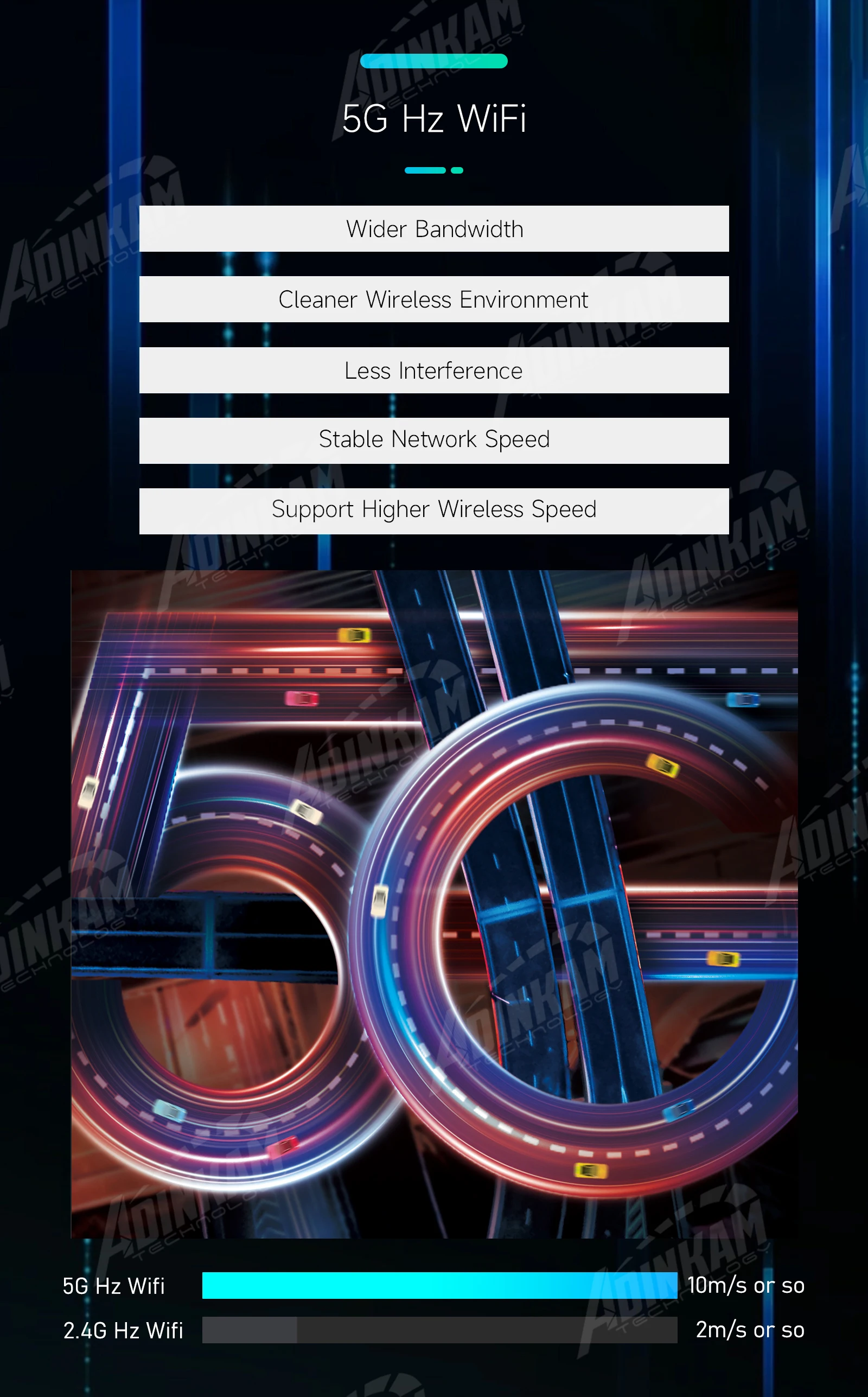
The product applies the latest 5G Hz WiFi. Compared with the traditional 2.4G Hz WiFi, it has wider bandwidth, cleaner wireless environment, less interference, stable network speed and can support higher wireless speed. Therefore, the 5G Hz WiFi video transmission speed will be faster and smoother than the traditional 2.4G Hz.


Carplay & Android Auto
Dash cam is compatible with Carplay and Android Auto, breaking the limitations of mobile phone system.
Carplay&Android Auto from the phone onto the dashcam. It solves the problem that the dashcam data occupies memory from the source, resulting in slow operation.
Better Use of App Functions
On the car, dash cam temporarily replaces the function of mobile phone. It can access map navigation, receive information, answer and make calls, play music, etc. while you are focusing on the road.
Note: Some software does not have a handshake agreement with Carplay&Android Auto, so it will not be shown here. You can use the AirPlay&Miracast function for screen projection.
Voice Assistant
You can use the voice assistant of your phone to help you complete the above functions, which solves the dangerous behavior of using your phone while driving. The voice assistant calls Siri under the Carplay function, or calls Google under the Android Auto function. If the sound is too loud such as playing music, you can manually activate the voice assistant by long pressing the lower left corner of the Carplay/Android Auto function page.
Wireless FM / BT + Wired AUX
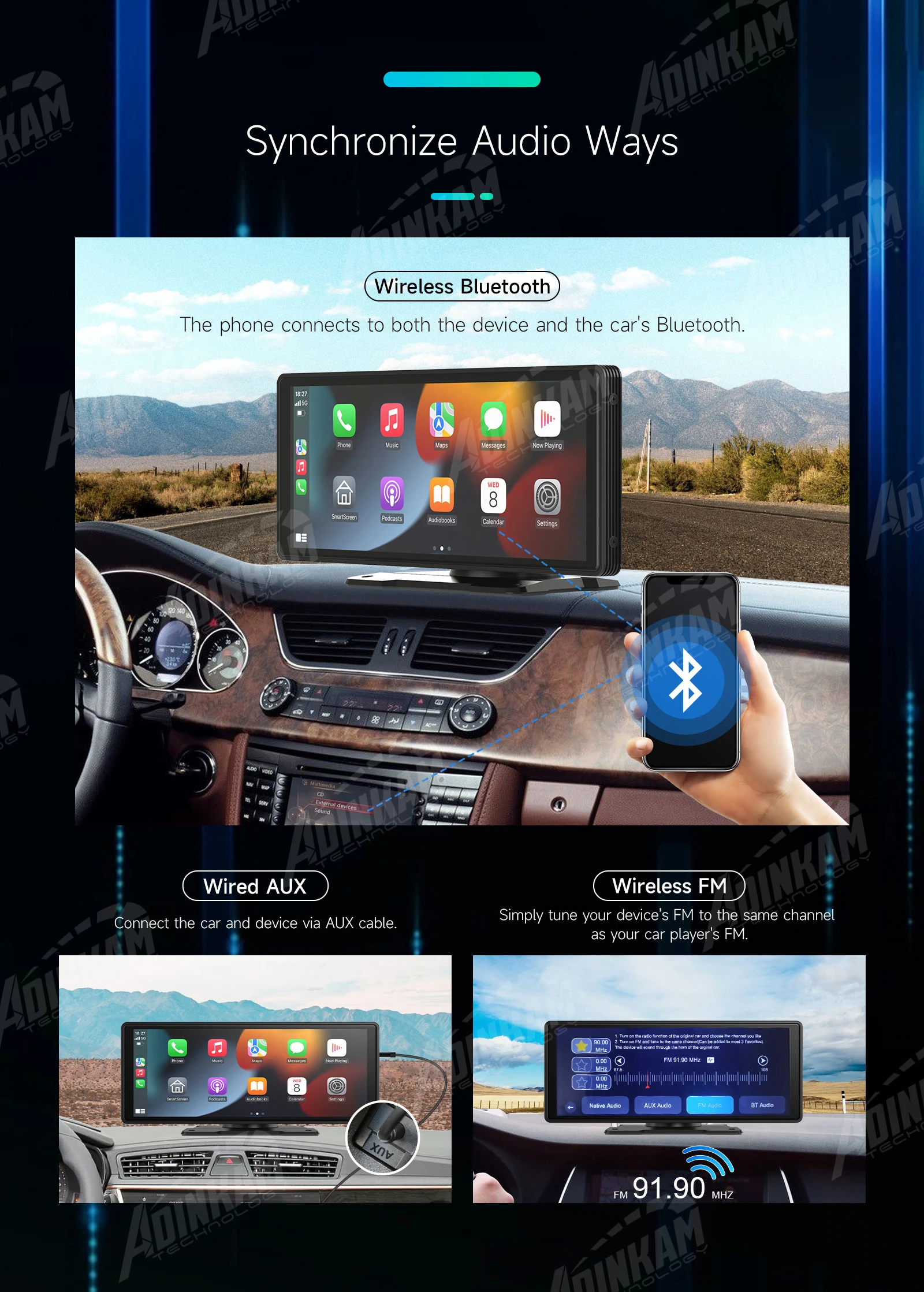
This product uses wired and wireless modes to connect the car player. You can choose the mode that suits you, which is more convenient.
① Dashcam is connected to the player through the FM transmitter, and the connection channel does not conflict with the BT channel. FM transmitter is used to synchronize your car audio. You only need to adjust the FM of the dashcam and the FM of the car player to the same channel to achieve audio synchronization.
② Dashcam connects to the AUX of the car through the AUX cable to realize audio synchronization.
③The mobile phone is connected to the Bluetooth of dashcam and car at the same time, and the audio synchronization can be realized.
Three Machines in One
Dashcam is connected to the Car Player through the FM transmitter or AUX Cable connection, and these channel does not conflict with the BT channel, so as to realize the Mobile phone, Dash cam, Car player three in one.


Apple AirPlay & Android Miracast
The product realizes Apple AirPlay and Android Miracast through the WIFI connection of the mobile phone. In this mode, the screen projection of the mobile phone can be realized, and the screen page of the mobile phone can be enlarged in equal proportion. But please note that the machine cannot control the phone page in this mode.
Astern Auxiliary Line ( Optional )
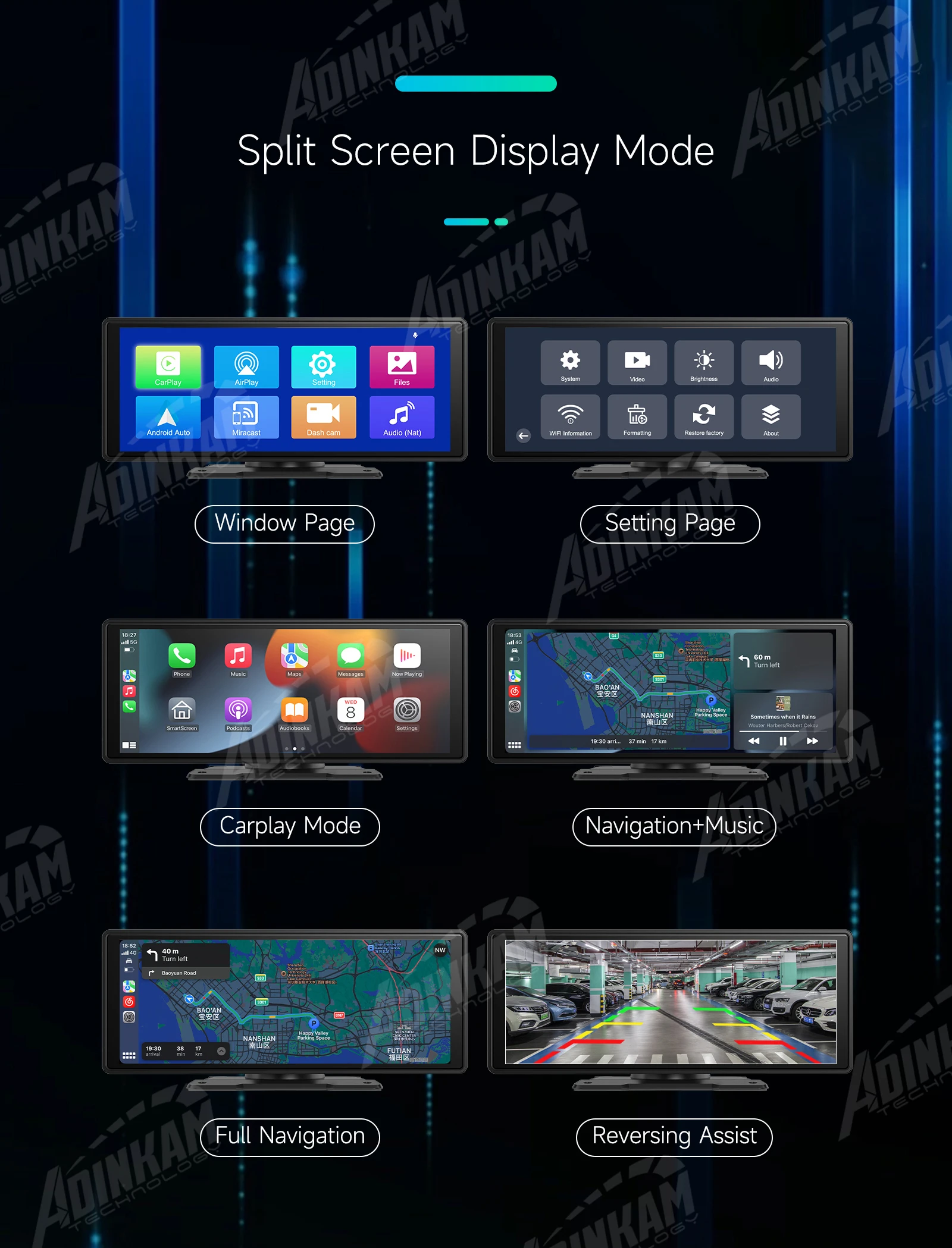
After installing the rear camera, when the car is in reverse gear, the reverse auxiliary line will appear.
Function of Accessories
Car Charger - Used to connect products and cars to supply power for products.
Stand - Used for product placement, with foam adhesive tape at the bottom for fixing the product.
AUX - The machine synchronizes the sound of mobile phone and car player through wireless FM, and can also synchronize through Wired AUX, the latter is more stable.
Rear Camera - Used to take the view of the rear of the car. In addition, it can also realize reversing indication.
Sucker Holder - For product placement, use the sucker holder to fix the device on the windshield or the center console. Compared with the default stand, the sucker holder can fit the sticking part better, and the angle can be adjusted by stretching.







| 수입신고 1USD |
구매/결제대행 1CNY |
TT송금 1CNY |
|---|---|---|
| 6.7 CNY | 206.99 KRW | 0.145 USD |